


Insta360
3.62.22K Reviews
App Specs
- Version
- 2.31.6
- Updated On
- License
- Free
- Downloads
- 1,000,000+
- Developer
- Insta360
- Categories
- Video Players & Editors
- Platform
- Android, iOS
Screenshots
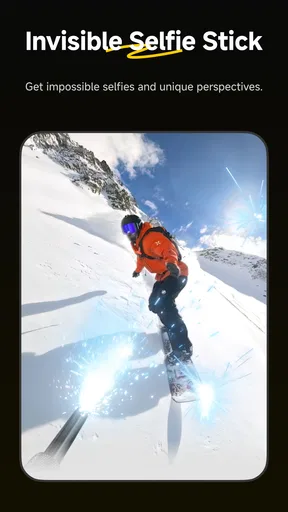
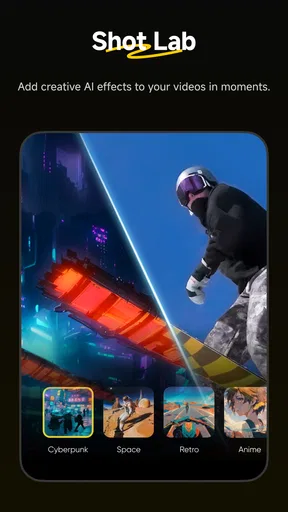
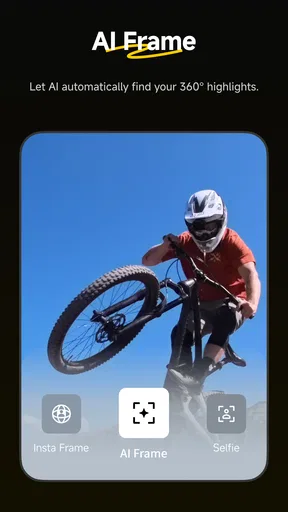
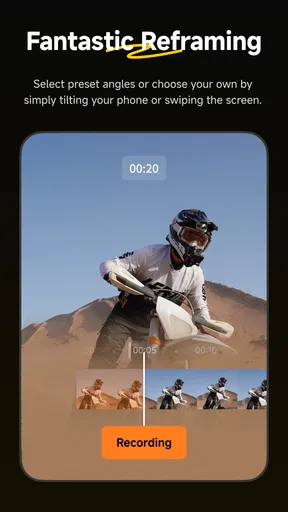
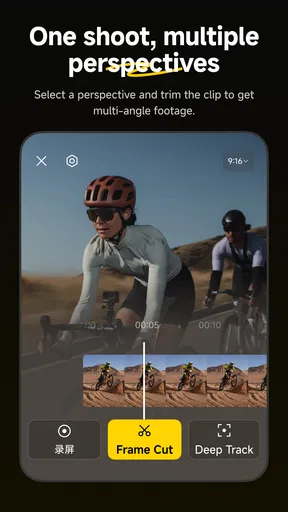
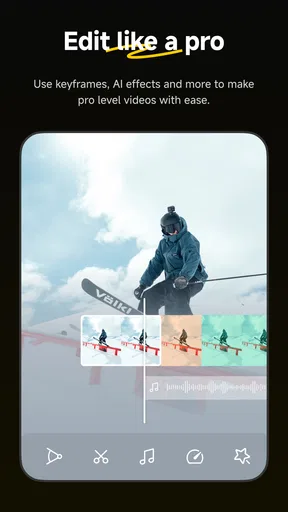
 Analysis by AppCompare
When I’m deciding whether a camera companion app deserves space on my phone, I look beyond the promise of easy editing. I want to know what I can do with footage once I’ve captured it, how much the workflow depends on owning the matching hardware, and whether the cost stays manageable. Insta360 is aimed at people working with the company’s cameras and handheld gimbals, so its appeal is clearest when those devices are already part of your kit.
What the free download does—and does not—tell you about cost
The app is free to download, which makes trying its basic workflow an easy decision. There are also in-app purchases, with individual items listed from $0.49 to $999.99. That is a wide range, so I would not treat “free” as a guarantee that every optional item or service costs nothing. Before confirming a purchase, check the price shown for that specific item and decide whether it adds something you will actually use.
For me, that distinction matters more here than it would in a general-purpose editor. The app’s main value is tied to working with Insta360 equipment, and someone who already owns compatible gear may have a good reason to explore its tools before paying for anything extra. Someone who only wants a basic editor for ordinary phone clips should compare the free editing options they already have first; a specialized camera companion is not automatically better for that job.
Getting Started with Insta360
First things first, let’s talk about the setup. Downloading Insta360 is a breeze. Available on both Android and iOS, the app is designed for seamless integration with Insta360 cameras. Once you’ve got it, pairing it with your camera is as simple as pie. The app guides you through every step, almost like having a tech-savvy buddy by your side.
What really caught my attention is the intuitive interface. It's clean, straightforward, and doesn’t drown you in options. You know those apps that make you feel like you need a tech degree to navigate? Yeah, none of that here. Everything is right where you’d expect it to be, making the learning curve practically non-existent.
How the editing workflow earns its place
For footage captured on an Insta360 camera, editing in the companion app can make the handoff from recording to reviewing feel more direct than moving straight into a desktop editor. The biggest practical advantage is that 360-degree material needs decisions an ordinary flat-video editor may not handle as naturally: which direction the viewer should look, what moment deserves emphasis, and how to turn a wide capture into a watchable clip.
That flexibility is useful, but it also changes how I would shoot. With a 360 camera, I can pay attention to the moment first and choose the framing later. The trade-off is that “framing later” still takes attention: I need to watch the footage, pick a viewpoint, and check that the important action stays visible. For a quick social clip, a focused reframe and trim may be enough; for a sequence with several subjects or changing action, I would review the whole clip before sharing rather than trusting an automatic choice without checking it.
Worth Reading Before You Choose

Flipboard Shows What News Apps Must Do Beyond the Feed

Switching to Android Auto Means Rethinking Your Driving Routine

Google Calendar Makes a Crowded Week Easier to Manage

Ludo King Makes the Most of the Minutes Between Plans

Baby Panda World Brings Quick Play to Modern Phones, but Its Game Library Feels Busy

ESPN’s Live Game View Makes Following Close Games Easier
A helpful habit is to make a rough selection before adding polish. I would first identify the short section worth keeping, then set the view, and only after that consider music or other finishing touches. This avoids spending time styling a clip that does not work once it is reframed. It also makes the editing process easier to repeat when I come back from a day out with several recordings rather than one carefully planned shot.
Features That Stand Out
Alright, let’s dive into the meat of the app. The feature set is impressive, to say the least. Here are a few highlights:
- 360-degree editing: This is where Insta360 truly shines. The app allows you to edit your 360-degree videos with ease. You can reframe, trim, and even add music directly from the app.
- AI-powered tools: The app boasts AI-driven features that help you create stunning content without breaking a sweat. From auto-tracking subjects to suggesting the best shots, the AI is like having a creative director on hand.
- Stories and sharing: Insta360 makes sharing your creations a breeze. The built-in sharing options let you post directly to social media or save to your device, ready for any adventure.
The app also supports multiple shooting modes, which is perfect for capturing everything from action-packed sports to serene landscapes. The stabilization feature is a game-changer, ensuring your videos are smooth and professional-looking.
Where it fits beside other video editors
Compared with a typical mobile video editor, Insta360 makes most sense when the source footage comes from the company’s cameras or handheld gimbals. A general editor is usually the more straightforward pick for arranging ordinary phone clips, adding familiar finishing touches, and keeping a mixed-camera project in one place. This app’s advantage is the camera-focused workflow and the ability to work with 360-degree footage rather than treating it as just another flat video.
I would not assume that one app has to handle every stage of a project. If I were making a quick clip from compatible footage, I would start here, make the key reframing choices, and see whether its export and sharing options suit the destination. If I were assembling a longer piece with footage from several sources or wanted a broader editing environment, I would consider a general editor or desktop software instead. The best choice depends less on which app has the longest feature list and more on whether the material is 360-degree camera footage or a conventional collection of clips.
Performance and Usability
Now, let’s talk about performance. I’ve used a fair share of editing apps, and let me tell you, Insta360 is no slouch. The app runs smoothly on my mid-range phone, with minimal lag even during intensive editing sessions. It’s optimized to handle high-resolution footage without turning your phone into a space heater.
Battery usage is another point worth mentioning. While any app that deals with high-res video will naturally be a bit of a battery hog, Insta360 manages to be surprisingly efficient. It doesn’t drain your battery faster than you can say "low power mode."
For a practical outing, I would treat the phone as an editing and review tool rather than assume every step should happen on the spot. Imagine recording a family walk or a bike ride: I can capture the wider scene, then later choose a view that keeps a person or point of interest in frame. If I’m outside for hours, I would also leave time to check clips when I have a comfortable moment, instead of rushing through edits while distracted. Video work can still involve waiting and careful review, even when the controls are approachable.
Phone storage is another everyday consideration. High-resolution footage can take up room, so I would review and keep the clips I care about rather than letting every test recording accumulate indefinitely. A useful routine is to mark the material I intend to edit, make a finished version, and then decide what original footage I still need. That keeps a casual shooting session from turning into a growing pile of files that is hard to sort through.
Who is likely to get the most value
This is a natural fit for people who already use Insta360 cameras or handheld gimbals and want a convenient way to handle footage close to where it was recorded. It can also suit beginners who are curious about reframing 360-degree video but do not want to begin with a full desktop editing setup. The most useful question to ask is whether the camera-specific workflow solves a problem you actually have; if it does, the free download is a low-commitment place to start.
On the other hand, I would skip it as a first choice if I only edit ordinary clips filmed on a phone and have no need for Insta360 hardware. A standard mobile editor may be simpler for that purpose, while desktop software may be more comfortable for a complex project with many clips, detailed audio work, or a precise timeline. The app’s broad editing appeal should not obscure its strongest role as a companion to the company’s own capture devices.
It is also worth setting expectations around automation. AI-assisted tools can reduce repetitive choices, but I would still inspect the result before sharing. An automatic selection can be a useful starting point, not a substitute for checking whether the right person, action, or moment is actually emphasized. That small review step is especially important when the subject moves through the frame or several things happen at once.
Why You Might Love It
Insta360 is perfect for anyone looking to elevate their content creation without needing to invest in costly editing software. The app’s user-friendly nature makes it accessible to newbies, while the robust feature set keeps seasoned creators engaged. It’s like having a Swiss army knife for content creation — versatile and always handy.
One thing that really struck me was the community around Insta360. The app encourages you to connect with other creators, providing endless inspiration and support. Whether through community challenges or sharing tips, it feels like being part of a creative family.
Version, compatibility, and age suitability
The current version is 2.19.0, and the minimum operating system is listed as 9. The app is rated for everyone, so its age classification is broad, although younger users should still have an adult’s guidance when using connected camera equipment or considering purchases. If you are deciding whether to install it on an older device, checking your operating system before downloading is a sensible first step.
Insta360 is developed by Insta360 and belongs to the video players and editors category. It has an average rating of 3.5 from around 40,000 ratings, with about 2,000 written reviews and over 1 million installs. Those figures suggest a substantial audience, but they do not tell me whether the app will suit a particular camera workflow. I would weigh them alongside the practical question of whether you own the hardware it is designed to accompany.
Final Thoughts
So, is Insta360 worth it? Absolutely. It’s not just an app; it’s a gateway to endless creative possibilities. Whether you’re capturing epic travel moments or everyday scenes, Insta360 makes it effortless to create professional-quality content. It’s a must-have for anyone passionate about storytelling through visuals.
In a world where capturing memories is as important as living them, Insta360 offers a seamless, powerful way to tell your story. So go ahead, download the app, and start creating magic. Trust me, you’ll wonder how you ever lived without it.
My more measured recommendation is to try it if its camera connection and 360-degree editing match the way you shoot, then judge the results on a real clip rather than a short test. Keep the purchase decision separate from the free download: optional items have a very broad listed price range, so confirm the individual cost before buying. If you do not own the related gear, or you mainly need a conventional editor, another tool may give you a cleaner fit. For the right setup, though, this is a sensible place to turn captured footage into a shareable view without making a desktop workflow the first stop.
Pros
- High-quality 360-degree video capture.
- User-friendly interface for easy editing.
- Wide range of editing tools available.
- Seamless social media sharing options.
- Compact and portable design.
Cons
- Limited battery life for extended shoots.
- Requires high storage for 4K videos.
- App may lag on older devices.
- Some features require in-app purchases.
- Initial setup can be confusing.
FAQs for Insta360
What is Insta360 and what does it offer to users?
Insta360 is an innovative app designed for capturing, editing, and sharing 360-degree videos and photos. It offers users a comprehensive suite of tools for enhancing their visual content, including stabilization features, AI-powered editing, and the ability to easily share across social media platforms. The app supports various Insta360 cameras, making it a must-have for immersive content creators.
Is Insta360 compatible with all smartphones?
Insta360 is compatible with most modern Android and iOS devices. However, to ensure optimal performance, it's recommended to use it on smartphones with higher processing capabilities and up-to-date operating systems. Compatibility with specific camera models may also vary, so users should check the app’s requirements before downloading.
How user-friendly is the Insta360 app for beginners?
The Insta360 app is designed with a user-friendly interface, making it accessible for beginners. It includes comprehensive tutorials and guides that help new users navigate through its features. The intuitive design ensures that even those new to 360-degree content creation can easily edit and share professional-quality videos and photos.
Are there any in-app purchases or subscriptions required for Insta360?
While the Insta360 app is free to download, it may offer in-app purchases or subscriptions for advanced features and additional content packs. These can enhance the user experience, providing more editing tools and effects. It’s advisable to review the app’s offerings and determine if these extras align with your creative needs.
What are the privacy and data security measures in place for Insta360?
Insta360 prioritizes user privacy and data security by implementing robust security protocols. The app requires permissions to access your camera and storage, but it doesn’t share personal data without consent. Users should review the privacy policy to understand how data is managed and what measures are in place to protect their information.


